
Font and Feature UI
Feature UI
Section titled “Feature UI”Fonts can support a wide variety of OpenType features . Some font features are internal and not for user control and some are for user control. font.py has a list of user controllable features. The rest should not be displayed in an application.
Developing a User Interface to access the user-selectable features has long been neglected.
User-selectable font features should be exposed to the user in the application UI. Some applications just include all the features in one big dialog box, as LibreOffice does below. Other applications are a bit more organized and separate them into different tabs or sections in a dialog.
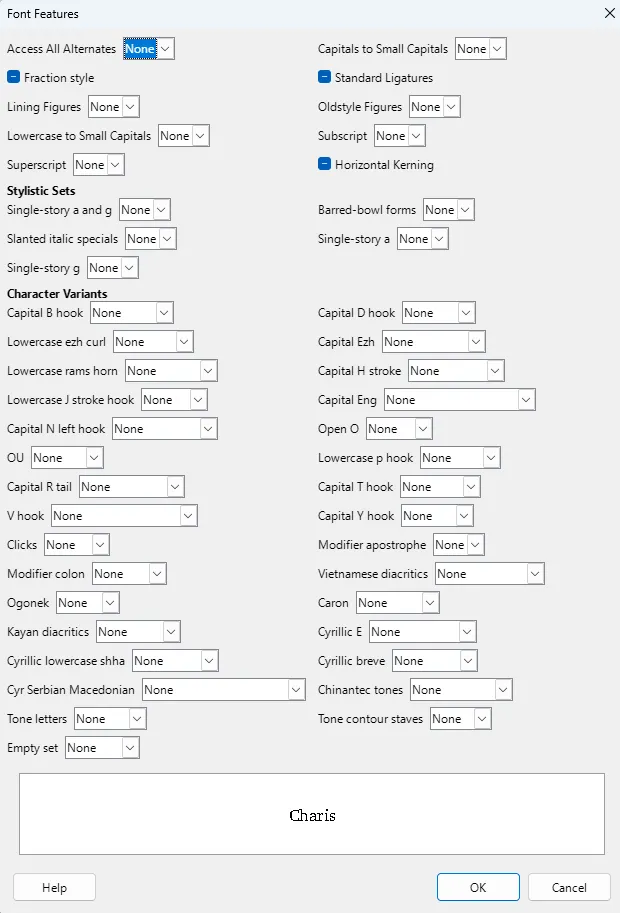
As mentioned above, applications have implemented a User Interface for selecting the user-selectable features in a variety of ways. Because each application implements the selection in different places, it is sometimes difficult to find where to set the user-selectable features.
- In macOS, many of the user-selectable features are available through a Typography menu.
- In Word, some of the user-selectable features are available through the Font menu, and other are available through the Font / Advanced menu.
- In LibreOffice, they are available through the Character / Font menu or Character / Font Effects menu.
- InDesign has an OpenType menu from which various features can be selected.
- PTXprint has provided for selecting them in the Font menu.
Sample UI
Section titled “Sample UI”This document gives some ideas for developing a fairly compact way to display the user-selectable features, and still allow the user to select the various options.
The “twisty” divisions are somewhat arbitrary. Using the twisties would allow for a fairly compact menu. If a font doesn’t support a particular topic and/or feature it should not be displayed. (The table below shows what should be under each twisty.)
In the example below, there is no need to include the four-letter feature tag in the UI. It is simply included for the developer to know which OpenType feature is related to the friendly name.
When one of the twisties is selected you might see either a checkbox (for on and off) in the case of Stylistic Sets, or multiple options for selection in the case of Character Variants.
Languages are sometimes selected at the bottom of an application window. The following example has language selection in the dialog box, but it could be selected elsewhere. If the font supports language features, then the language choice will also affect the features that are selected.
Language
| |
Effects
| Kerning
|
Ligatures
| Alternates
|
Figures/Fractions
| Casing
|
Notations
| |
Stylistic Sets (up to 20)
| Character Variants (up to 99)Capital H stroke
Capital Eng
|
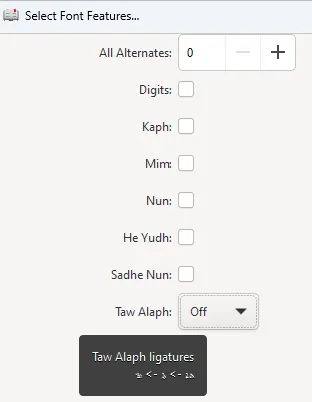
The full specification for Character Variants allows for tooltips (for example, hover over the Character Variant “Capital H stroke” and see the tooltip). The specification also includes the ability to list the default glyph and each alternate. Although the sample text is extremely small, PTXprint supports this.
Resources
Section titled “Resources”- font.py in the ptxprint repo has a list of “OTFeatNames” which are valid features to display in the feature UI. And “OTInternalFeats” are the ones that should not be displayed in a UI. “OTLangs” has a list of OpenType language tags which can be used for selecting a language.